Introduction
In this tutorial, you'll learn how to create AI-generated videos using text, images, and documents — similar to Alibaba's Wan3.0 model. While Wan3.0 is a proprietary system, we'll build a practical pipeline using open-source tools and libraries that demonstrate the core concepts behind text-to-video generation. This tutorial will help you understand how to process text prompts, extract visual elements from documents, and generate video sequences programmatically.
Prerequisites
- Basic Python knowledge
- Installed Python 3.8 or higher
- Access to a machine with at least 8GB RAM (recommended 16GB for better performance)
- Installed libraries:
openai,python-docx,pillow,moviepy,numpy - OpenAI API key (for text-to-image generation)
Step-by-Step Instructions
1. Set Up Your Python Environment
First, create a virtual environment and install the required packages:
python -m venv video_gen_env
source video_gen_env/bin/activate  # On Windows: video_gen_env\Scripts\activate
pip install openai python-docx pillow moviepy numpy
Why: Using a virtual environment isolates dependencies and prevents conflicts with other projects. The libraries we install will help us interact with OpenAI's API, process documents, and manipulate images and video.
2. Prepare Input Data
Create a sample text prompt and a document (PDF or DOCX) that will be used as input for video generation:
# Create a sample text prompt
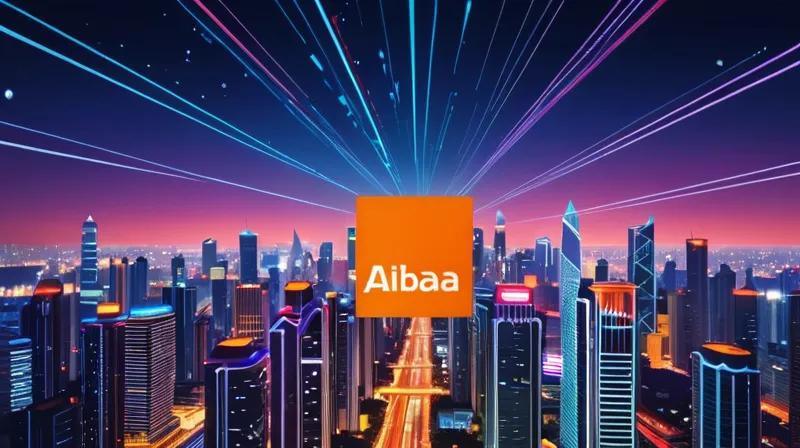
prompt = "A futuristic cityscape with flying cars and neon lights"

# Create a sample document content
document_content = "\n\nProject Overview:\n- Goal: Build a smart city\n- Timeline: 6 months\n- Budget: $5M\n\nKey Features:\n1. Autonomous vehicles\n2. Smart grids\n3. AI-powered traffic management"

# Save the document
with open('project_plan.docx', 'w') as f:
    f.write(document_content)
Why: This simulates real-world input where you might have a text description and a document containing project details. These inputs will be used to guide the video generation process.
3. Generate Image from Text Prompt
Use OpenAI's DALL·E API to generate an image based on your text prompt:
import openai

openai.api_key = 'your_openai_api_key'

response = openai.Image.create(
  prompt=prompt,
  n=1,
  size="1024x1024"
)

image_url = response['data'][0]['url']
print(f"Generated image URL: {image_url}")
Why: This step mimics the first stage of Wan3.0's process, where text prompts are converted into visual elements. DALL·E is a powerful tool for generating images from text descriptions.
4. Extract Visual Elements from Document
Parse the document to extract visual elements or key information that can be used for video content:
from docx import Document
import re

# Read the document
doc = Document('project_plan.docx')
full_text = '\n'.join([para.text for para in doc.paragraphs])

# Extract key features
features = re.findall(r'\d+\. (.+)', full_text)
print("Key Features Extracted:", features)

# Create a simple visualization of features
for i, feature in enumerate(features):
    print(f"Feature {i+1}: {feature}")
Why: In real-world applications, documents contain structured information that can be used to generate visual content. This step extracts key points that can be turned into frames or scenes in a video.
5. Generate Multiple Images from Document Content
For each key feature extracted from the document, generate a corresponding image:
import requests
from PIL import Image
import io

# Generate images for each feature
feature_images = []
for i, feature in enumerate(features):
    response = openai.Image.create(
      prompt=f"Illustration of {feature} in a futuristic city",
      n=1,
      size="512x512"
    )

    image_url = response['data'][0]['url']

    # Download and save image
    img_data = requests.get(image_url).content
    img = Image.open(io.BytesIO(img_data))
    img.save(f'feature_{i+1}.png')
    feature_images.append(f'feature_{i+1}.png')

print("Generated feature images:", feature_images)
Why: This creates a series of images that represent the different aspects of your project, similar to how Wan3.0 might use document content to generate visual components for a video.
6. Create a Video from Generated Images
Use MoviePy to combine the generated images into a video sequence:
from moviepy.editor import ImageClip, concatenate_videoclips

# Create video clips from images
clips = []
for img_path in feature_images:
    clip = ImageClip(img_path, duration=3)  # 3 seconds per frame
    clips.append(clip)

# Concatenate clips
video = concatenate_videoclips(clips, method="compose")

# Add text overlay
from moviepy.editor import TextClip

# Add title
title = TextClip("AI Video Generation Demo", fontsize=30, color='white', bg_color='black')

# Position title
title = title.set_position(('center', 'top')).set_duration(3)

# Composite title on video
final_video = video.set_duration(3 * len(feature_images))
final_video = final_video.set_audio(None)  # Remove audio if needed

# Write final video
final_video.write_videofile("ai_video_demo.mp4", fps=24)
Why: This step demonstrates how multiple visual elements can be combined into a coherent video. The duration of each frame and the overall video structure can be adjusted to meet your specific requirements.
7. Add Text Narration (Optional)
Enhance the video by adding text narration that explains each feature:
from moviepy.editor import TextClip

# Create text clips for each feature
narration_clips = []
for i, feature in enumerate(features):
    text_clip = TextClip(f"{feature}", fontsize=24, color='white', bg_color='black')
    text_clip = text_clip.set_duration(3)
    text_clip = text_clip.set_position(('center', 'bottom'))
    narration_clips.append(text_clip)

# Combine video with text narration
final_clips = []
for i, clip in enumerate(clips):
    combined = clip.set_duration(3)
    if i < len(narration_clips):
        combined = combined.set_position(('center', 'center')).set_duration(3)
    final_clips.append(combined)

final_video = concatenate_videoclips(final_clips, method="compose")
final_video.write_videofile("ai_video_with_narration.mp4", fps=24)
Why: Adding narration helps explain the visual content and makes the video more informative. This is a crucial part of creating compelling AI-generated content.
Summary
In this tutorial, you've learned how to build a basic pipeline for generating AI videos from text prompts and documents. You've seen how to:
- Set up a Python environment with necessary libraries
- Generate images from text using OpenAI's DALL·E API
- Extract information from documents
- Create video sequences from generated images
- Add text narration to enhance the video content
This process mimics the core functionality of Alibaba's Wan3.0 model, demonstrating how text, images, and documents can be transformed into video content. While this is a simplified version, it provides a foundation for building more complex video generation systems.