Introduction
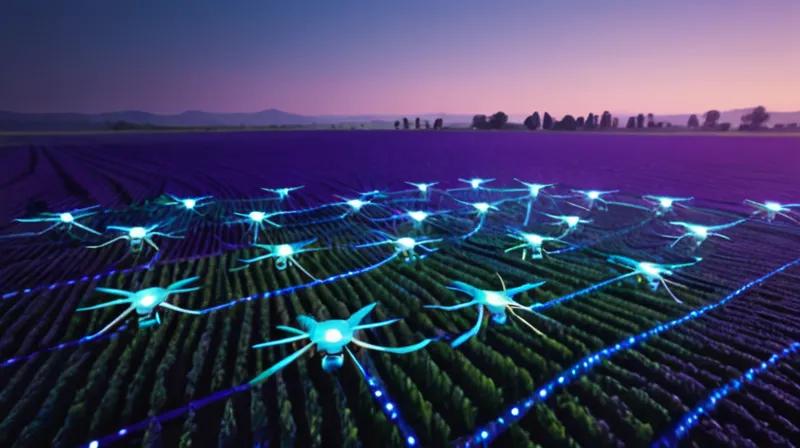
In this tutorial, you'll learn how to build a flight planning system for agricultural drones using computer vision and path optimization techniques. This system will enable drones to autonomously navigate and spray crops without requiring pre-mapped fields or manual flight plan reconfiguration. We'll create a Python-based solution that combines image processing with path planning algorithms to demonstrate the core technology behind smart agricultural drones.
Prerequisites
- Python 3.7+ installed on your system
- Basic understanding of computer vision concepts
- Familiarity with path planning algorithms
- Required Python packages: opencv-python, numpy, matplotlib, scipy
Step-by-step instructions
1. Setting Up the Environment
1.1 Install Required Dependencies
First, create a virtual environment and install the necessary packages:
python -m venv drone_env
source drone_env/bin/activate  # On Windows: drone_env\Scripts\activate
pip install opencv-python numpy matplotlib scipy
1.2 Create Project Structure
Create a directory structure for our drone flight planning system:
drone_flight_planning/
├── main.py
├── drone_system.py
├── image_processor.py
├── path_planner.py
└── utils.py
2. Implementing Image Processing for Field Analysis
2.1 Create Image Processor Module
We'll start by building a module that can analyze field images to identify crop areas and obstacles:
# image_processor.py
import cv2
import numpy as np


class ImageProcessor:
    def __init__(self):
        self.field_mask = None
        self.obstacles = []

    def process_field_image(self, image_path):
        # Read image
        img = cv2.imread(image_path)
        if img is None:
            raise ValueError("Could not load image")

        # Convert to HSV for better color segmentation
        hsv = cv2.cvtColor(img, cv2.COLOR_BGR2HSV)

        # Define range for green color (crop detection)
        lower_green = np.array([30, 50, 50])
        upper_green = np.array([90, 255, 255])

        # Create mask for green areas
        mask = cv2.inRange(hsv, lower_green, upper_green)

        # Apply morphological operations to clean up the mask
        kernel = np.ones((5,5), np.uint8)
        mask = cv2.morphologyEx(mask, cv2.MORPH_CLOSE, kernel)
        mask = cv2.morphologyEx(mask, cv2.MORPH_OPEN, kernel)

        # Find contours
        contours, _ = cv2.findContours(mask, cv2.RETR_EXTERNAL, cv2.CHAIN_APPROX_SIMPLE)

        # Filter contours by area to remove noise
        min_area = 1000
        valid_contours = [cnt for cnt in contours if cv2.contourArea(cnt) > min_area]

        self.field_mask = mask
        self.crops = valid_contours

        return img, mask, valid_contours

    def detect_obstacles(self, image):
        # Simple obstacle detection using edge detection
        gray = cv2.cvtColor(image, cv2.COLOR_BGR2GRAY)
        edges = cv2.Canny(gray, 50, 150)

        # Find contours in edges
        contours, _ = cv2.findContours(edges, cv2.RETR_EXTERNAL, cv2.CHAIN_APPROX_SIMPLE)

        # Filter for potential obstacles (large enough to be obstacles)
        obstacle_contours = [cnt for cnt in contours if cv2.contourArea(cnt) > 500]

        self.obstacles = obstacle_contours
        return obstacle_contours
3. Implementing Path Planning Algorithm
3.1 Create Path Planner Module
Now we'll implement a path planning system that can generate optimal flight routes:
# path_planner.py
import numpy as np
from scipy.spatial.distance import cdist
from scipy.optimize import minimize


class PathPlanner:
    def __init__(self):
        self.path = []
        self.waypoints = []

    def generate_grid_waypoints(self, field_mask, spacing=50):
        # Generate waypoints in a grid pattern
        height, width = field_mask.shape
        waypoints = []

        # Create grid of points
        y_coords = np.arange(0, height, spacing)
        x_coords = np.arange(0, width, spacing)

        for y in y_coords:
            for x in x_coords:
                if field_mask[y, x] > 0:  # Only if within field
                    waypoints.append((x, y))

        self.waypoints = waypoints
        return waypoints

    def optimize_path(self, waypoints):
        # Simple nearest neighbor path optimization
        if len(waypoints) <= 1:
            return waypoints

        # Create distance matrix
        distances = cdist(waypoints, waypoints, 'euclidean')

        # Start from first point
        current_point = 0
        unvisited = set(range(1, len(waypoints)))
        path = [current_point]

        while unvisited:
            # Find nearest unvisited point
            nearest = min(unvisited, key=lambda x: distances[current_point][x])
            path.append(nearest)
            unvisited.remove(nearest)
            current_point = nearest

        # Return optimized waypoints
        optimized_path = [waypoints[i] for i in path]
        self.path = optimized_path
        return optimized_path

    def generate_spray_pattern(self, waypoints, spray_width=20):
        # Generate spray pattern by creating parallel lines
        spray_paths = []

        for i, (x, y) in enumerate(waypoints):
            # Create parallel lines for spraying
            start_y = y - spray_width//2
            end_y = y + spray_width//2
            spray_paths.append([(x, start_y), (x, end_y)])

        return spray_paths
4. Integrating the Drone System
4.1 Create Main Drone System Module
Now we'll integrate all components into a cohesive drone system:
# drone_system.py
from image_processor import ImageProcessor
from path_planner import PathPlanner
import cv2


class DroneSystem:
    def __init__(self):
        self.image_processor = ImageProcessor()
        self.path_planner = PathPlanner()
        self.field_image = None
        self.field_mask = None
        self.waypoints = []
        self.optimized_path = []

    def load_and_analyze_field(self, image_path):
        # Load and analyze field image
        img, mask, contours = self.image_processor.process_field_image(image_path)
        self.field_image = img
        self.field_mask = mask

        # Detect obstacles
        obstacles = self.image_processor.detect_obstacles(img)

        print(f"Detected {len(contours)} crop areas")
        print(f"Detected {len(obstacles)} obstacles")

        return img, mask, contours, obstacles

    def plan_flight_route(self, spacing=50):
        # Generate waypoints
        waypoints = self.path_planner.generate_grid_waypoints(self.field_mask, spacing)

        # Optimize path
        optimized_path = self.path_planner.optimize_path(waypoints)

        self.waypoints = waypoints
        self.optimized_path = optimized_path

        return optimized_path

    def visualize_results(self, output_path="flight_plan.png"):
        # Create visualization of flight plan
        if self.field_image is None:
            raise ValueError("No field image loaded")

        img_copy = self.field_image.copy()

        # Draw waypoints
        for point in self.waypoints:
            cv2.circle(img_copy, point, 3, (0, 255, 0), -1)

        # Draw optimized path
        if len(self.optimized_path) > 1:
            for i in range(len(self.optimized_path) - 1):
                cv2.line(img_copy, self.optimized_path[i], self.optimized_path[i+1], (255, 0, 0), 2)

        # Draw crop areas
        cv2.drawContours(img_copy, self.image_processor.crops, -1, (0, 255, 0), 2)

        # Save visualization
        cv2.imwrite(output_path, img_copy)
        print(f"Flight plan saved to {output_path}")

        return img_copy
5. Creating the Main Application
5.1 Implement Main Script
Finally, create the main application that ties everything together:
# main.py
from drone_system import DroneSystem
import sys


def main():
    # Initialize drone system
    drone = DroneSystem()

    # Load field image
    if len(sys.argv) < 2:
        print("Usage: python main.py ")
        return

    image_path = sys.argv[1]

    try:
        # Analyze field
        img, mask, crops, obstacles = drone.load_and_analyze_field(image_path)

        # Plan flight route
        print("Generating flight path...")
        path = drone.plan_flight_route(spacing=40)

        # Visualize results
        print("Creating flight visualization...")
        visualization = drone.visualize_results("drone_flight_plan.png")

        print(f"Flight plan generated with {len(path)} waypoints")
        print("Flight plan saved as drone_flight_plan.png")

    except Exception as e:
        print(f"Error: {e}")

if __name__ == "__main__":
    main()
6. Running the System
6.1 Test with Sample Data
Create a simple test image or use an existing agricultural image, then run:
python main.py field_sample.jpgThis will process the image, identify crop areas, detect obstacles, generate waypoints, and create an optimized flight path for the drone.
Summary
In this tutorial, you've built a complete drone flight planning system that demonstrates key technologies mentioned in the news article. The system automatically processes field images to identify crop areas and obstacles, generates optimized flight paths without requiring pre-mapped fields, and creates spray patterns for agricultural applications.
This implementation showcases the core concepts behind smart agricultural drones: autonomous field analysis, path optimization, and obstacle avoidance. While this is a simplified demonstration, it captures the essential technology that enables drones to operate without manual flight plan reconfiguration, as mentioned in the news article about DroneDash Technologies and GEODNET's joint venture.