Introduction
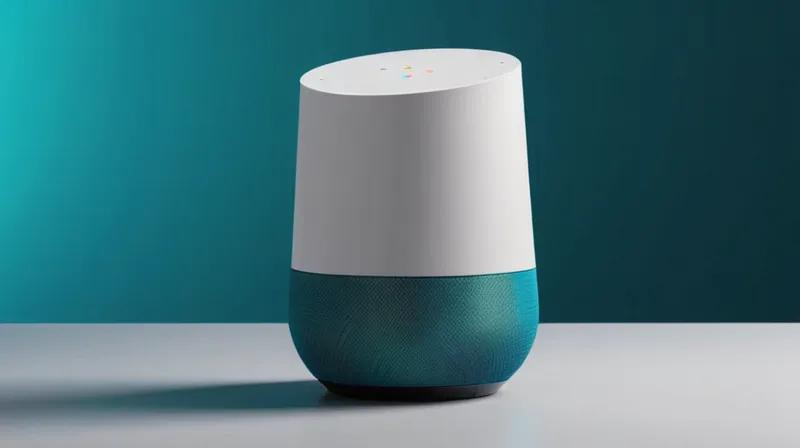
In this tutorial, you'll learn how to create a smart home assistant using Python that mimics the functionality of Google Home and Amazon Echo Dot Max smart speakers. We'll build a voice-controlled system that can respond to natural language commands, integrate with smart home devices, and leverage AI APIs for enhanced functionality. This project will help you understand how these smart speakers work under the hood and give you hands-on experience with voice recognition, natural language processing, and smart home automation.
Prerequisites
Before starting this tutorial, you should have:
- Basic Python programming knowledge
- Python 3.7 or higher installed
- Basic understanding of APIs and HTTP requests
- Access to a computer with microphone and speaker capabilities
- Internet connection for API access
Step-by-Step Instructions
Step 1: Set Up Your Development Environment
Install Required Python Packages
First, create a virtual environment and install the necessary packages for voice recognition and AI integration:
python -m venv smart_home_env
source smart_home_env/bin/activate  # On Windows: smart_home_env\Scripts\activate
pip install speechrecognition pyaudio pyttsx3 requests
Why this step? We need these packages to handle voice input, text-to-speech output, and API communication. SpeechRecognition provides voice-to-text conversion, PyAudio handles audio input, pyttsx3 handles text-to-speech, and requests allows us to communicate with external APIs.
Step 2: Create Basic Voice Recognition System
Initialize Voice Recognition Components
Create a Python script to set up the basic voice recognition system:
import speech_recognition as sr
import pyttsx3
import requests
import json

# Initialize recognizer and text-to-speech engine
recognizer = sr.Recognizer()
text_to_speech = pyttsx3.init()

# Configure voice settings
voices = text_to_speech.getProperty('voices')
text_to_speech.setProperty('voice', voices[0].id)  # Use first available voice
text_to_speech.setProperty('rate', 150)  # Speed of speech
Why this step? This establishes the core components needed for voice interaction. The speech recognizer converts spoken words to text, while the text-to-speech engine converts responses back to audible speech.
Step 3: Implement Voice Command Processing
Create Command Handling Function
Develop a function that listens for commands and processes them:
def listen_for_command():
    with sr.Microphone() as source:
        print("Listening...")
        recognizer.adjust_for_ambient_noise(source)
        audio = recognizer.listen(source)

    try:
        command = recognizer.recognize_google(audio)
        print(f"You said: {command}")
        return command.lower()
    except sr.UnknownValueError:
        print("Could not understand audio")
        return None
    except sr.RequestError as e:
        print(f"Could not request results; {e}")
        return None

def speak_text(text):
    text_to_speech.say(text)
    text_to_speech.runAndWait()
Why this step? This function handles the core interaction loop - listening for voice input and converting it to text that our system can process. The speak_text function converts system responses back to audible speech.
Step 4: Integrate with AI APIs
Add Generative AI Capabilities
Implement functionality to connect with generative AI services similar to what Google and Amazon use:
def get_ai_response(user_input):
    # This simulates integration with AI services
    # In a real implementation, you'd connect to Google's API or Amazon's API

    # Example using OpenAI API (requires API key)
    # headers = {'Authorization': 'Bearer YOUR_API_KEY', 'Content-Type': 'application/json'}
    # data = {'prompt': user_input, 'max_tokens': 150}
    # response = requests.post('https://api.openai.com/v1/completions', headers=headers, json=data)
    # return response.json()['choices'][0]['text']

    # Simulated response for demonstration
    responses = {
        'what can you do': 'I can control smart home devices, answer questions, and provide information.',
        'what is the weather': 'I don\'t have real-time weather access, but I can help you find weather information.',
        'tell me a joke': 'Why don\'t scientists trust atoms? Because they make up everything!',
        'goodbye': 'Goodbye! Have a great day!'
    }

    for key in responses:
        if key in user_input:
            return responses[key]

    return "I\'m not sure how to help with that. Can you try rephrasing?"
Why this step? Smart speakers like Google Home and Echo Dot Max rely heavily on AI to understand and respond to natural language. This step simulates how these systems integrate with generative AI services to provide intelligent responses.
Step 5: Build Smart Home Integration
Implement Device Control Functions
Create functions to simulate controlling smart home devices:
def control_smart_device(device, action):
    devices = {
        'light': {'on': 'Turning on the lights', 'off': 'Turning off the lights'},
        'thermostat': {'up': 'Raising temperature', 'down': 'Lowering temperature'},
        'music': {'play': 'Playing music', 'pause': 'Pausing music'}
    }

    if device in devices and action in devices[device]:
        return devices[device][action]
    else:
        return f"I don\'t know how to control {device} {action}"

# Example usage
smart_home_commands = {
    'turn on the lights': lambda: control_smart_device('light', 'on'),
    'turn off the lights': lambda: control_smart_device('light', 'off'),
    'play music': lambda: control_smart_device('music', 'play'),
    'pause music': lambda: control_smart_device('music', 'pause')
}
Why this step? Both Google Home and Echo Dot Max excel at controlling smart home devices. This implementation shows how voice commands can be translated into device control actions, similar to how these smart speakers integrate with smart home ecosystems.
Step 6: Create Main Interaction Loop
Build the Core Smart Assistant
Combine all components into a working smart assistant:
def main_smart_assistant():
    print("Smart Home Assistant initialized. Say 'hello' to begin.")

    while True:
        command = listen_for_command()

        if command:
            # Check for exit command
            if 'goodbye' in command or 'exit' in command or 'quit' in command:
                speak_text('Goodbye! Have a great day!')
                break

            # Check for smart home commands
            response = None
            for cmd, action in smart_home_commands.items():
                if cmd in command:
                    response = action()
                    break

            # If no smart home command, use AI for general responses
            if response is None:
                response = get_ai_response(command)

            # Speak the response
            speak_text(response)
            print(f"Assistant: {response}")

# Run the assistant
if __name__ == "__main__":
    main_smart_assistant()
Why this step? This final integration brings together all the components into a working smart assistant that can listen for commands, process them, and respond appropriately - just like Google Home and Echo Dot Max do.
Step 7: Test and Refine Your Assistant
Run and Improve Your System
Run your smart assistant and test various commands:
python smart_home_assistant.pyTest with commands like:
- 'Turn on the lights'
- 'Play music'
- 'What can you do?'
- 'Tell me a joke'
- 'Goodbye'
Why this step? Testing allows you to identify areas for improvement in command recognition, response accuracy, and overall user experience - key factors that make Google Home and Echo Dot Max successful products.
Summary
In this tutorial, you've built a functional smart home assistant that demonstrates the core technologies behind Google Home and Amazon Echo Dot Max. You've learned how to implement voice recognition, text-to-speech conversion, AI integration, and smart home device control. This hands-on experience gives you insight into how these smart speakers process natural language commands, interact with AI services, and control connected devices. While this is a simplified version, it covers the fundamental concepts that make modern smart speakers so powerful and user-friendly.