Introduction
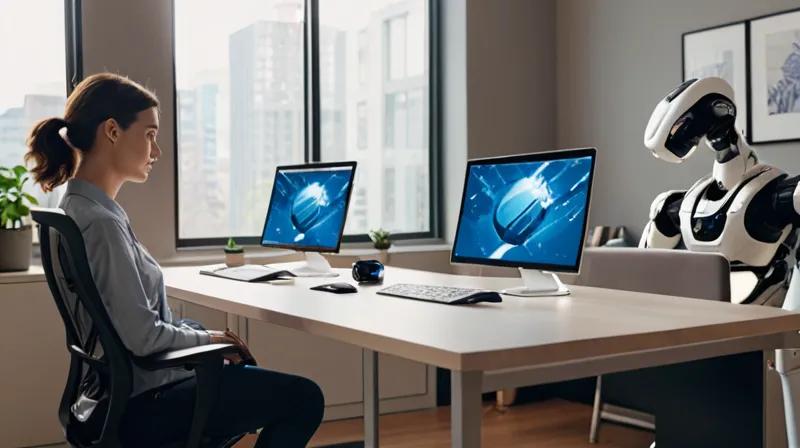
In this tutorial, you'll learn how to create a basic physical AI system using Python and popular robotics libraries. While NEURA Robotics' $1.4B funding represents a major leap in robotics investment, this tutorial will teach you foundational concepts that underpin their work - specifically, how to build a simple robot that can perceive its environment and make decisions based on that perception.
This hands-on project will introduce you to key robotics concepts like sensor data processing, decision-making algorithms, and basic robot control - all using accessible tools and libraries that you can run on your own computer.
Prerequisites
To follow this tutorial, you'll need:
- A computer with Python 3.7 or higher installed
- Basic understanding of Python programming concepts
- Internet connection for downloading packages
- Optional: A physical robot or robot simulator (we'll use a virtual one for this tutorial)
Step-by-Step Instructions
1. Set Up Your Python Environment
First, we'll create a virtual environment to keep our project organized and avoid conflicts with other Python packages.
python -m venv robot_env
robot_env\Scripts\activate  # On Windows
# or
source robot_env/bin/activate  # On Mac/Linux
Why: Virtual environments isolate your project dependencies, ensuring that package installations don't interfere with your system Python or other projects.
2. Install Required Libraries
Next, we'll install the key libraries needed for our robot simulation:
pip install numpy pygameWhy: NumPy provides powerful numerical computing capabilities essential for processing sensor data, while Pygame allows us to create a visual simulation of our robot in action.
3. Create the Robot Class
Now we'll define a basic robot class that can move and sense its environment:
import pygame
import numpy as np

# Initialize Pygame
pygame.init()

# Robot class definition
class Robot:
    def __init__(self, x, y):
        self.x = x
        self.y = y
        self.width = 20
        self.height = 20
        self.speed = 2

    def move(self, direction):
        if direction == 'up':
            self.y -= self.speed
        elif direction == 'down':
            self.y += self.speed
        elif direction == 'left':
            self.x -= self.speed
        elif direction == 'right':
            self.x += self.speed

    def draw(self, screen):
        pygame.draw.rect(screen, (255, 0, 0), (self.x, self.y, self.width, self.height))

    def get_position(self):
        return (self.x, self.y)
Why: This creates a foundation for our robot with basic movement capabilities. The robot can sense its position and move in four directions.
4. Create a Simple Environment
We'll create a basic environment where our robot can navigate:
class Environment:
    def __init__(self, width, height):
        self.width = width
        self.height = height
        self.obstacles = []

    def add_obstacle(self, x, y, width, height):
        self.obstacles.append(pygame.Rect(x, y, width, height))

    def draw(self, screen):
        # Draw environment boundaries
        pygame.draw.rect(screen, (0, 255, 0), (0, 0, self.width, self.height), 2)

        # Draw obstacles
        for obstacle in self.obstacles:
            pygame.draw.rect(screen, (128, 128, 128), obstacle)
Why: This environment represents the physical world where our robot operates. Obstacles simulate real-world challenges that robots must navigate around.
5. Implement Basic Decision-Making
Now we'll add a simple decision-making system to our robot:
class DecisionMaker:
    def __init__(self):
        pass

    def decide_action(self, robot_pos, obstacles):
        # Simple algorithm: avoid obstacles by moving away from them
        x, y = robot_pos

        # Check if robot is near any obstacle
        for obstacle in obstacles:
            if obstacle.collidepoint(x, y):
                # Move away from obstacle
                if x < obstacle.centerx:
                    return 'right'
                else:
                    return 'left'

        # If no obstacle nearby, move randomly
        import random
        return random.choice(['up', 'down', 'left', 'right'])
Why: This simulates how physical AI systems make decisions based on sensor input. Our robot analyzes its surroundings and chooses actions to avoid collisions.
6. Create the Main Simulation Loop
Finally, we'll put everything together in a main loop that runs our simulation:
# Initialize game window
screen = pygame.display.set_mode((800, 600))
pygame.display.set_caption('Simple Physical AI Robot')
clock = pygame.time.Clock()

# Create robot and environment
robot = Robot(100, 100)
env = Environment(800, 600)

# Add some obstacles
env.add_obstacle(300, 200, 100, 20)
env.add_obstacle(500, 400, 20, 100)

# Create decision maker
decision_maker = DecisionMaker()

# Main game loop
running = True
while running:
    for event in pygame.event.get():
        if event.type == pygame.QUIT:
            running = False

    # Get robot position
    robot_pos = robot.get_position()

    # Make decision based on environment
    action = decision_maker.decide_action(robot_pos, env.obstacles)

    # Move robot
    robot.move(action)

    # Draw everything
    screen.fill((255, 255, 255))
    env.draw(screen)
    robot.draw(screen)

    pygame.display.flip()
    clock.tick(60)

pygame.quit()
Why: This loop represents how real physical AI systems continuously process sensor data, make decisions, and execute actions in real-time.
Summary
In this tutorial, you've built a foundational physical AI system that demonstrates core robotics concepts:
- Robot representation with movement capabilities
- Environment simulation with obstacles
- Basic decision-making system
- Continuous simulation loop
While this is a simplified simulation, it mirrors the fundamental architecture of systems like those developed by NEURA Robotics. The $1.4B funding mentioned in the news article represents the real-world investment in scaling these concepts to actual physical robots that can navigate complex environments, process sensory data, and make autonomous decisions - just like the system you've built here.
This exercise introduces you to the building blocks of physical AI systems, preparing you for more advanced robotics concepts using real hardware and sophisticated AI frameworks.