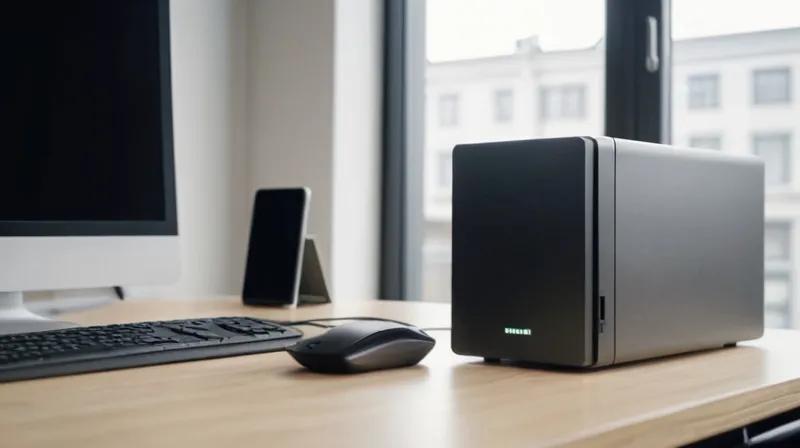
Understanding Network Attached Storage (NAS) for Personal Data Backup
Introduction
Imagine you have a big toy box at home, but instead of keeping all your toys in one place, you spread them across multiple rooms and even give some to friends to keep. That's kind of like how people used to store their digital files before cloud services came along. Today, many people are discovering a better way to keep their important files safe - by using something called a Network Attached Storage, or NAS device.
What is a NAS Storage Drive?
A Network Attached Storage (NAS) drive is like having your own private digital filing cabinet that lives in your home. Unlike regular hard drives that connect directly to one computer, a NAS drive connects to your home Wi-Fi network, which means multiple people and devices can access it from anywhere in your house.
Think of it this way: if your home is a big house, a regular hard drive is like having one tiny room where you can only store your stuff. But a NAS drive is like having a whole floor of your house dedicated to storing your things - and everyone in the house can use it!
How Does a NAS Drive Work?
When you set up a NAS drive, you're essentially creating a special computer that only does one job: store and share files. It connects to your home internet router, which is like the main hub of your house's communication system. Once connected, any device - your phone, laptop, tablet - can reach the files stored on the NAS drive by simply connecting to your home Wi-Fi network.
It's similar to how you might have a family photo album that everyone can look at, but only you can add new photos. The NAS drive works like that album, but for all your digital files - documents, photos, videos, music, and more. The best part? It works automatically in the background, so you don't have to remember to back up your files manually.
Why Does This Matter for Everyday People?
For most people, NAS drives matter because they offer a better way to keep important files safe and accessible. Many people today use services like iCloud or Dropbox to store their files, but these services often come with monthly fees and have limits on how much you can store.
With a NAS drive, you own all your data. You don't have to worry about paying monthly fees, and you can store as much as your drive can hold. It's like having a personal storage locker in your own home that you can access anytime, anywhere.
Another big advantage is privacy. When you use cloud services, your data is stored on computers owned by other companies. With a NAS drive, your data stays in your own home, which means it's more private and secure.
Key Takeaways
- A NAS drive is a special storage device that connects to your home Wi-Fi network
- It allows multiple devices in your home to access and share files
- It's like having a private, secure digital filing cabinet at home
- It can replace expensive cloud storage subscriptions
- Your data stays in your own home, not on other companies' servers
Just like how you wouldn't want to store all your important documents in someone else's house, a NAS drive gives you the freedom and control to manage your own digital files safely and privately.


