Introduction
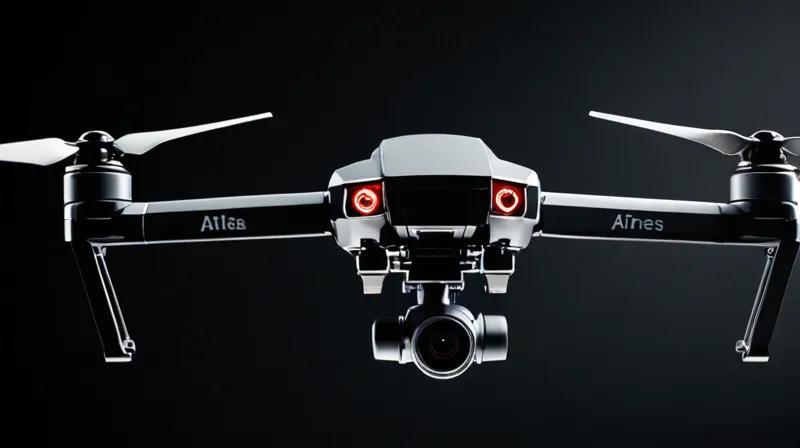
In a world where drones are becoming increasingly common for both civilian and military use, the cost of defending against them has become a major concern. A French startup, Alta Ares, has developed an innovative approach to make drone interception more affordable by using AI-powered systems. In this tutorial, we'll explore how to create a simple AI-based drone detection and tracking system using Python and OpenCV. This hands-on project will teach you the fundamentals of computer vision and AI that are essential for understanding the technology behind systems like Alta Ares.
Prerequisites
To follow this tutorial, you'll need:
- A computer with Python installed (Python 3.7 or higher recommended)
- Basic understanding of programming concepts
- Access to a webcam or video feed
- Internet connection for downloading required libraries
Step-by-Step Instructions
Step 1: Setting Up Your Development Environment
Install Required Libraries
First, we need to install the necessary Python libraries for computer vision and AI processing. Open your terminal or command prompt and run:
pip install opencv-python numpyWhy we do this: OpenCV (Open Source Computer Vision Library) is essential for image processing and video analysis. NumPy provides support for large, multi-dimensional arrays and matrices, which are crucial for handling image data efficiently.
Step 2: Creating a Basic Drone Detection System
Import Required Modules
Start by creating a new Python file and importing the necessary modules:
import cv2
import numpy as np
Why we do this: These modules provide the core functionality for image processing (OpenCV) and numerical operations (NumPy) needed for our drone detection system.
Initialize Video Capture
Next, we'll set up video capture from your webcam:
cap = cv2.VideoCapture(0)

# Check if camera opened successfully
if not cap.isOpened():
    print("Error: Could not open camera.")
    exit()
Why we do this: This initializes the camera feed that we'll process to detect drones. The parameter '0' refers to the default camera, but you can change it to use an external camera or video file.
Step 3: Implementing Basic Motion Detection
Create a Background Subtraction System
For drone detection, we'll use background subtraction to identify moving objects:
# Create background subtractor
backSub = cv2.createBackgroundSubtractorMOG2()

while True:
    ret, frame = cap.read()
    if not ret:
        break

    # Apply background subtraction
    fgMask = backSub.apply(frame)

    # Display the frame
    cv2.imshow('Drone Detection', fgMask)

    # Break loop on 'q' key press
    if cv2.waitKey(1) & 0xFF == ord('q'):
        break
Why we do this: Background subtraction is a fundamental technique in computer vision that helps identify moving objects by comparing the current frame with a background model. This is crucial for detecting drones in flight.
Enhance Detection with Morphological Operations
To improve detection accuracy, we'll add morphological operations to clean up the foreground mask:
# Apply morphological operations to reduce noise
kernel = np.ones((5,5), np.uint8)
fgMask = cv2.morphologyEx(fgMask, cv2.MORPH_OPEN, kernel)
fgMask = cv2.morphologyEx(fgMask, cv2.MORPH_CLOSE, kernel)
Why we do this: Morphological operations help remove noise and smooth the detection results, making it easier to identify actual drone shapes rather than random artifacts in the video feed.
Step 4: Adding Simple Shape Recognition
Find Contours and Filter by Shape
Now we'll identify the contours in our foreground mask and filter for drone-like shapes:
# Find contours
contours, _ = cv2.findContours(fgMask, cv2.RETR_EXTERNAL, cv2.CHAIN_APPROX_SIMPLE)

# Filter contours based on area (drone size)
for contour in contours:
    area = cv2.contourArea(contour)
    if area > 500:  # Adjust threshold based on your camera
        # Draw bounding rectangle
        x, y, w, h = cv2.boundingRect(contour)
        cv2.rectangle(frame, (x, y), (x+w, y+h), (0, 255, 0), 2)
        cv2.putText(frame, 'Drone Detected', (x, y-10),
                   cv2.FONT_HERSHEY_SIMPLEX, 0.5, (0, 255, 0), 2)
Why we do this: Contour detection helps identify the boundaries of objects in our video feed. By filtering based on area and shape, we can distinguish between regular moving objects and drones.
Complete Detection Loop
Here's the complete loop that ties everything together:
while True:
    ret, frame = cap.read()
    if not ret:
        break

    # Apply background subtraction
    fgMask = backSub.apply(frame)

    # Apply morphological operations
    kernel = np.ones((5,5), np.uint8)
    fgMask = cv2.morphologyEx(fgMask, cv2.MORPH_OPEN, kernel)
    fgMask = cv2.morphologyEx(fgMask, cv2.MORPH_CLOSE, kernel)

    # Find contours
    contours, _ = cv2.findContours(fgMask, cv2.RETR_EXTERNAL, cv2.CHAIN_APPROX_SIMPLE)

    # Filter and draw contours
    for contour in contours:
        area = cv2.contourArea(contour)
        if area > 500:
            x, y, w, h = cv2.boundingRect(contour)
            cv2.rectangle(frame, (x, y), (x+w, y+h), (0, 255, 0), 2)
            cv2.putText(frame, 'Drone Detected', (x, y-10),
                       cv2.FONT_HERSHEY_SIMPLEX, 0.5, (0, 255, 0), 2)

    # Display results
    cv2.imshow('Drone Detection', frame)

    if cv2.waitKey(1) & 0xFF == ord('q'):
        break
Why we do this: This complete loop integrates all our detection techniques into a single working system that processes video in real-time and highlights potential drone detections.
Step 5: Running Your Drone Detection System
Execute the Program
Save your Python file (e.g., drone_detector.py) and run it:
python drone_detector.pyWhy we do this: This executes your drone detection program and starts processing video from your camera. The system will display a window showing the video feed with detected drones highlighted.
Testing and Calibration
Test your system with various objects to calibrate the detection sensitivity:
- Adjust the area threshold (currently set to 500) based on how large your drone appears in the video
- Experiment with different morphological kernel sizes to reduce false positives
- Try different background subtraction parameters for better accuracy
Why we do this: Calibration ensures your system works effectively in different lighting conditions and environments, which is crucial for real-world deployment.
Summary
In this tutorial, you've learned how to build a basic drone detection system using Python and OpenCV. You've explored fundamental concepts like background subtraction, contour detection, and morphological operations that form the basis of more advanced AI systems like those developed by Alta Ares. While this system is simplified compared to commercial solutions, it demonstrates the core principles of computer vision and AI that are essential for drone defense technologies.
Remember, real-world drone defense systems involve much more sophisticated AI algorithms, including deep learning models, advanced sensor fusion, and real-time processing capabilities. This tutorial provides a foundation for understanding how such systems work, which is valuable knowledge as drone technology continues to evolve.